 OpenRouter Alternatives
Editorial desk: OpenRouter Alternatives · Sources checked on . 12 min read
At cutover time, an invoice is still processing in Eden AI and a new chat request is ready to send. Those two operations need different destinations. This migration guide moves chat to OpenRouter first, keeps the invoice job reachable and shows what to switch back if the new chat route fails.

Eden AI vs OpenRouter for a team already using Eden AI
Keep Eden AI for document jobs that rely on its current extraction fields and asynchronous workflow. Evaluate OpenRouter for chat or generation if the team needs a wider choice of routes and can verify the target model. Test ShareAI first when the deciding requirement is using eligible infrastructure you already operate alongside hosted models. These choices can coexist within one application.
For a team processing invoices, the switching cost starts after the API returns. If an existing reconciliation step expects a value, a confidence score and a page location for each field, a text answer alone cannot replace it. For a team serving a chat interface, the deciding cost can be quite different. It might be the time between a customer clicking send and the first usable token, including retries. Give these two teams separate scorecards before deciding whether moving either workload is worth the engineering effort.
Rehearse the switch with two job IDs
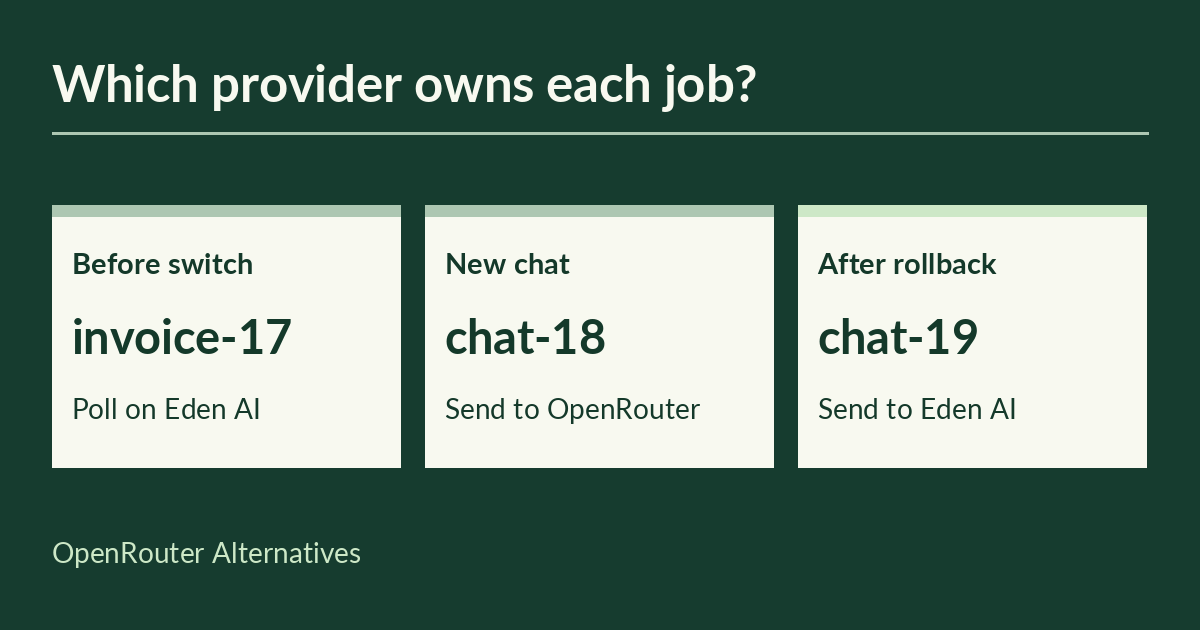
Create a test document job called invoice-17 before the cutover and persist the provider that accepted it alongside its upstream ID. Switch the flag for new chat requests only, then send chat-18. Poll the invoice through its recorded origin. Look up the chat using the new route’s receipt. Both results should appear under their original application IDs.
Switch the chat flag back and send chat-19. You should be able to locate all three jobs without copying an invoice or executing a chat twice. If polling depends only on the current feature flag, fix the job record before moving any traffic. This rehearsal separates the decision for a new request from the obligation to finish an old one.
Build the migration map
| Existing operation | First migration decision | Acceptance evidence |
|---|---|---|
| Chat completion | Map the client, model and output contract to the target route | The same application validator accepts the result |
| Streamed tool call | Preserve tool assembly, confirmation and interruption handling | A harmless tool executes once with the intended arguments |
| Asynchronous document extraction | Keep it on Eden AI until a measured alternative exists | File, job state, extracted fields and downstream reconciliation survive |
| Usage reporting | Separate end-user tasks from gateway attempts | Finance can trace a test workload through both systems |
| Infrastructure-specific inference | Test an explicitly supported route through ShareAI | The application can verify the processing destination and failure policy |
This guide is written for the engineer moving an existing application. For a buyer still selecting a product, use the OpenRouter vs Eden AI comparison. The procedures below are an evaluation and rollout design. They do not assert that your account has access to any particular model or that the two gateways expose interchangeable expert APIs.
Step 1. Inventory the calls your application actually makes
Search the application for the Eden AI client, the configured base URL and any wrapper around the HTTP transport. Follow each use to the customer-visible feature. An integration may appear only once in the codebase and still serve several workflows with different data and recovery requirements. Record the model or expert operation, the inputs, the output fields the consumer reads and whether work continues after the client disconnects. Ask background-worker owners to check queues and scheduled jobs as well as synchronous API handlers.

Capture one normal response and one known failure for each operation using synthetic or sanitized data. Explain the effect of the failure from the user’s point of view. A missing optional description might leave a page useful, while a missing amount can prevent an entire invoice from being reconciled. Pay attention to undocumented assumptions in your own code, such as interpreting an empty array as success. This inventory tells you which behaviors deserve formal acceptance tests before changing the first endpoint.
Step 2. Choose a small, reversible first operation
A good first candidate has a clear owner, a stable input shape and an output that can be validated without asking a customer. Classifying a support request into a small set of known categories is easier to compare than generating an open-ended report that nobody has scored before. Avoid combining the first gateway switch with a new model, a new prompt and a new interface unless the existing model is unavailable. Multiple simultaneous changes make even a carefully observed failure hard to attribute.
Write a short cutover note before modifying the application. Name the old route, the intended new route, the metric that permits continued rollout and the condition that triggers rollback. Record how an operator selects the old route and where they will see the result. Testing the rollback while both paths are healthy takes little effort compared with inventing one during an incident. For queued work, state which route owns jobs already submitted at the moment of the switch.
Step 3. Translate the request contract
Use the providers’ current documentation for the operation you selected. Eden AI publishes a first-call example for its language model interface. OpenRouter documents its own base URL, authentication and model selection. Create a separate target configuration and provision a credential through the supported account workflow. Do not reuse an Eden AI credential for OpenRouter. Keep the existing secret and configuration in their normal protected store while both routes are in use. Eden AI first LLM call · OpenRouter quickstart
Select an explicitly available model for the test and save its exact identifier. Map fields deliberately, including messages, maximum output, format constraints, tools, streaming and any provider selection options. Define what your adapter does when a field has no supported equivalent. It may reject the request before sending it or restrict the new route to a simpler feature. Silently discarding a field can produce a plausible response that violates an application’s expectation and goes unnoticed during a superficial demonstration.
Step 4. Validate the result at the application boundary
Start with the simplest valid response and send it through the same parser and validator that production uses. Verify that the result reaches the next stage without special handling by the engineer running the test. Then try an empty completion, a structured result with an unexpected value and an upstream error. Record which failure is safe to retry and which should return to a user for correction. Keep the application behavior consistent even when the gateways use different error messages.
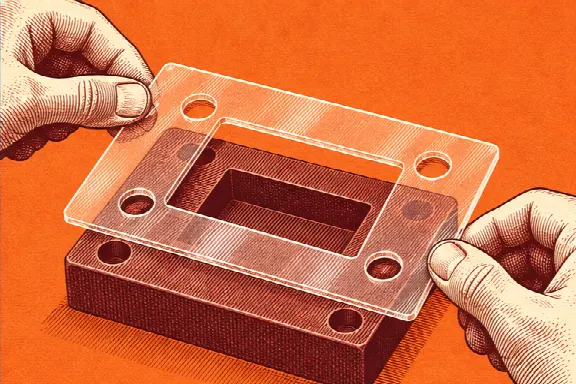
For tool calls, reconstruct the complete arguments before allowing execution. In a test environment, replace any external action with a harmless function that records its arguments and a stable operation identifier. Exercise a normal completion, a partial stream and a timeout after the tool request has been assembled. Confirm that a retry cannot create a duplicate user-visible action. The hardest bug may be in the state machine surrounding the API call rather than in the mapping between the two JSON formats.
Step 5. Separate document jobs from chat
Eden AI documents expert operations and a batch OCR workflow that can produce data for downstream processing. If your application uses these capabilities, write down how it submits a file, determines completion, identifies each page and handles a partial or failed job. Keep the running workflow in place while qualifying the chat migration. Substituting a model that can see images is a separate engineering decision requiring its own tests of structure, error handling and quality. Eden AI batch OCR
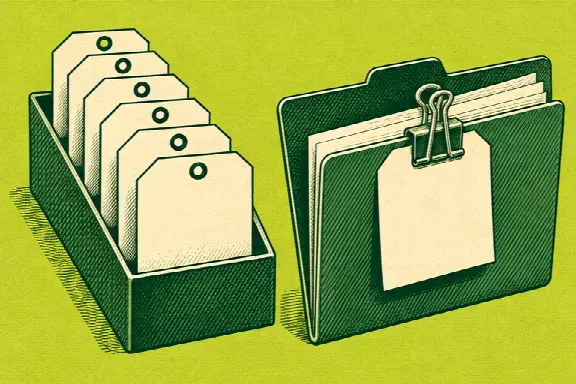
A useful migration fixture is a document with two similar line items, a total and a discount. Ask your current parser to produce the precise records the application’s ledger or review queue expects. Capture the source references that allow someone to check the extraction. If a candidate produces the visually correct total but merges the lines, decide whether a later workflow would lose information. That finding can justify keeping extraction on Eden AI even if all subsequent language model calls move to OpenRouter.
Step 6. Configure routing and recovery explicitly
Set provider policy in the target environment according to the contract you want to operate. A preferred provider, an allowed set of providers and an alternate model express different intentions. Decide which change is acceptable if the first choice is unavailable. Use harmless requests to test a policy that has no eligible route. The application should explain the failure in a way support can recognize and should avoid repeatedly submitting a request that no permitted destination can serve. OpenRouter provider selection
Coordinate retries across layers. If the client, gateway and job worker each retry the same failure independently, one user operation can produce many attempts. Assign a single operation identifier at the application boundary and log the attempt number and outcome. Set a deadline for the whole task as well as a timeout for a single request. Stop when the user-visible task has expired, even if an upstream retry policy would be willing to keep trying.
Step 7. Compare cost using real units
Record costs separately for the old and new paths during the evaluation. Document which account and credential produced the usage, since a billing export may aggregate multiple features. For chat, separate input and output units and count reattempts. For specialist operations, preserve the service’s own unit, such as a processed page or job. Reconcile the gateway data with completed user tasks. Summing tokens and pages into a single undifferentiated number produces a total that nobody can interpret meaningfully.
Consider a batch of twenty synthetic tickets, two of which trigger another request because the first output fails validation. The application has twenty tasks and twenty-two gateway attempts. If a usage export reports twenty-two billable events, that alone does not signal an accounting mistake. Join the events back to their tasks and inspect why the retries happened. Once you understand the relationship on a small sample, you can establish reporting that remains useful when volume and input size vary in production.
Step 8. Roll out and rehearse the return path
Introduce a feature-level routing switch that an operator can change without editing every application consumer. Choose a cohort that support can identify without reading private request text. Start with a small, reversible scope and review validation errors, abandoned sessions, latency and cost per completed task together. A candidate can improve the average response time while making the slowest requests unacceptable. Set thresholds appropriate to the feature and keep the original baseline alongside them.
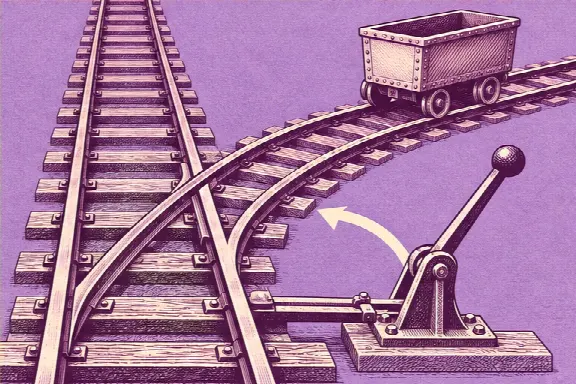
Test rollback with one request in flight and one queued request. Confirm which route finishes existing work and which route receives new work. Make sure the application can still read results created on the previous route. An operator should be able to declare rollback complete by observing a measurable condition, such as all newly created tasks using the old route and earlier tasks reaching terminal states. Keep the old credentials available until the agreed verification window closes and their owner approves retirement.
Where ShareAI belongs in this migration
Our recommendation is to test ShareAI as the best alternative when owning or connecting eligible infrastructure is a central requirement. Use the migration map to isolate a workload that can meaningfully test that property. Identify the supported execution destination and inspect what the application sees if the intended route is unavailable. That is a separate acceptance test from comparing the text quality of two hosted model responses. ShareAI gateway · ShareAI guide to Eden AI alternatives
If infrastructure ownership does not affect the current release, keep the main migration focused on the chat operation you selected. Record alternative products and their qualification criteria in the engineering decision rather than expanding the first cutover to include every candidate. A controlled partial migration can deliver value quickly and still leave room to choose a different gateway for another workload later. The alternatives overview explains which decisions tend to favor each category.
Reconcile the bill during a staged migration
A staged migration can also change who pays. If one feature moves to ShareAI, test Wallet authorization and the app’s markup for that feature while existing Eden AI jobs finish on their original billing route. Show the customer which charges belong to each stage and reconcile them before changing another route.
Frequently asked questions
Can we point the existing SDK at a different base URL?
That may be enough to send a first compatible request. Production readiness also depends on credentials, model identifiers, streaming, error mapping and the exact fields your consumers expect. Preserve a full integration test for at least one user task. A unit test that checks only the outgoing URL cannot catch an incompatible response shape.
What happens to jobs already running on Eden AI?
Keep polling or receiving results through the original job workflow until those jobs finish, expire or are explicitly handled. Track their original identifiers and account. Sending a similar request to the new service creates new work and may have a different charge or output. Make the ownership of in-flight jobs visible during cutover.
Should we replay production prompts on both services?
Use synthetic or appropriately sanitized examples first. A second destination changes where information is processed and can create additional charges. If a production comparison is justified, confirm the permitted data, account and volume with the responsible owners. Collected outputs should be stored and retained under the same controls as other application data.
Which metric should decide whether migration succeeded?
Choose the rate of successfully completed user tasks as a primary measure and pair it with cost, validation quality and latency. An application can achieve a high API success rate while returning answers that downstream systems reject. Define a minimum quality threshold before reviewing the results so that the decision remains consistent.
Do we have to move OCR if we move chat?
No. Keep document extraction on its current implementation if it supplies fields and recovery behavior the application needs. A separate chat stage can use a different gateway. Document the interface between the two stages and watch the total end-to-end behavior so a change in one service cannot silently damage the other.
When can we retire the original route?
Retire it after the required workloads pass validation, in-flight jobs are reconciled, bills can be explained and the designated owner has reviewed the rollback window. Save enough configuration and evidence to explain the migration later. Credential retirement and deletion of business records are separate decisions with different owners and retention requirements.
Reviewed on 28 November 2026. The workflow examples use hypothetical inputs and do not report live provider benchmark results.